











The Easywin app is the mobile version of the betting platform built for Android phones used across Nigeria. It brings the sportsbook, live markets, casino lobby and account tools into one place, so you can check odds and review a bet without opening a browser tab.
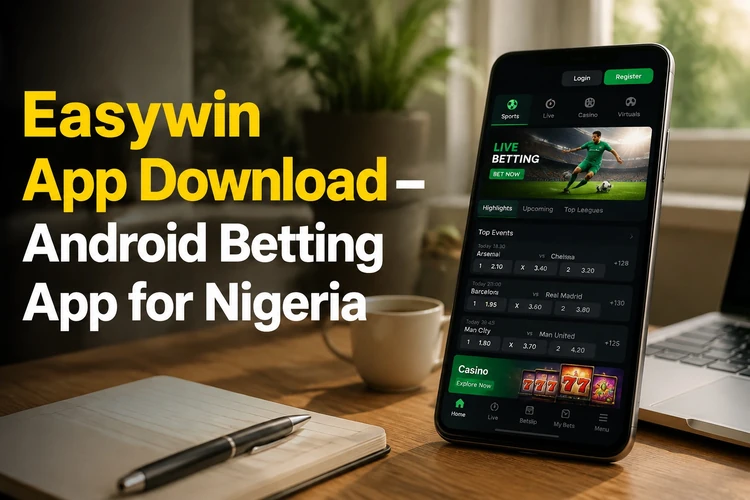
Most sections mirror the desktop layout: sports categories, a live tab for matches already in play, a bet slip that stays visible while you browse, and an account area with balance, transaction history and bet history. Phones running Android 5.0 and newer generally handle the app, although the exact experience depends on available storage, memory and connection quality.
What Is Easywin App?
The application is designed for customers who want a compact way to manage their account and browse available markets. It can be more convenient than a browser when the phone is already unlocked, while the web version remains useful on a shared computer or when you do not want to install an APK.
Before placing a bet, review the event, market, selection and odds in the slip. Odds can change before confirmation, particularly during live play. The app also gives you a practical way to check open and settled coupons, review account activity and move between sports and gaming sections.
Easywin App Download
Get the installer from the official site only. Betting applications are sometimes distributed as an APK rather than through Google Play, so check that the download page is the genuine platform page before saving the file.
Check the version number shown beside the download control and compare it with the version listed inside the app under account settings. If the site offers a newer file, install it over the existing version rather than removing the application first. Keep enough free storage for the installer and the temporary update files.
- Use the official site instead of a file-sharing forum or messaging group.
- Check that the file finishes downloading before opening it.
- Keep Android security scanning active while installing.
- Remove an old installer after a successful installation to recover storage.
How to Install Easywin APK on Android
Android treats an APK as an installation file from outside the Play Store. The permission is normally granted to the specific browser or file manager that opens the file, not permanently to every application on the phone.
- Step 1: Tap the download control and wait until the file is fully saved.
- Step 2: Check the Android version in Settings, especially on an older phone.
- Step 3: Allow installs from unknown sources for the browser you used.
- Step 4: Open the file from Downloads and confirm the installation.
- Step 5: Launch the application and wait for the current content to load.
- Step 6: Sign in with the phone number and password connected to your account.
- Step 7: Disable the installation permission again if you do not expect to install another APK.
If Android displays a parsing or package error, delete the incomplete file and download it again. Do not install a second copy from an unknown source to solve the problem. A stable connection and sufficient storage usually prevent interruptions.
Easywin Lite
Easywin Lite is a smaller build intended for budget smartphones and weaker network connections. It uses fewer images, simpler animations and less aggressive data refreshes, which may reduce storage, data use and battery consumption.
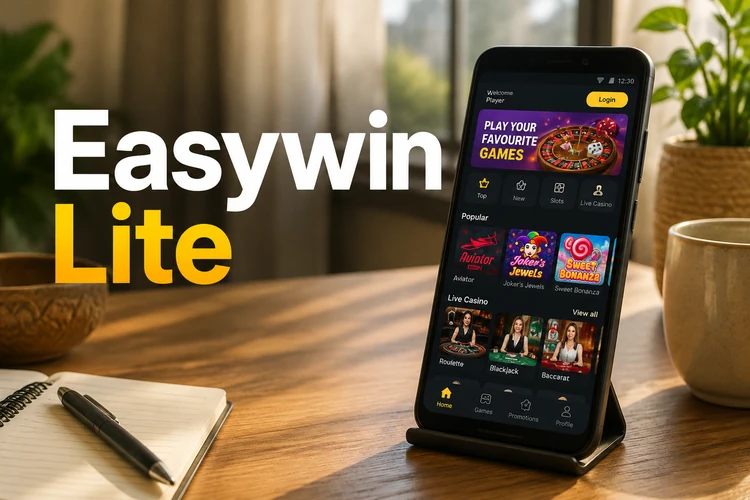
The lighter build can still support core sports functions such as singles, accumulators, live scores and coupon checks, but graphics-heavy casino content may be simplified. Availability and compatibility should be confirmed on the official download page rather than assumed from the full app.
| Feature | Full app | Lite version |
|---|---|---|
| Storage | Larger installation | Smaller installation |
| Data use | Higher when loading graphics | Reduced in lighter screens |
| Sports markets | Full interface | Core interface |
| Casino graphics | More complete presentation | Simplified presentation |
| Best suited to | Mid-range and newer phones | Entry-level phones or slower networks |
Easywin Login
Sign in with the phone number you registered and your password. If you have forgotten the password, use the «Forgot password?» control on the sign-in screen and follow the reset instructions sent to your registered number. You can also log in to your account through the browser.
Use a password that is not reused on another service, and avoid saving it on a shared phone. Log out after using someone else’s device. If a login alert or account detail looks unfamiliar, stop using the account and contact support through the available official channel before making a deposit or bet.
Sportsbook and Live Betting
Football is usually the main attraction in a mobile sportsbook, with international competitions and local fixtures presented alongside basketball, tennis, table tennis and other sports when markets are available. Open an event to see the available selections and the current odds.
Live betting shows markets while an event is in progress. Prices can move quickly after a goal, point or other important moment, and a selection may suspend briefly while the feed is updated. Check the final slip carefully before confirming. Bet history lets you open a coupon and review each selection, its status and the result after settlement. Fund the balance using the same deposit and withdrawal methods available on the wider platform.
Casino and Mobile Games
The casino area may include slots, table games, live dealer content, virtual sports and crash-style games. Game availability can change, so the categories shown in the app are the best guide to what is currently accessible from Nigeria.
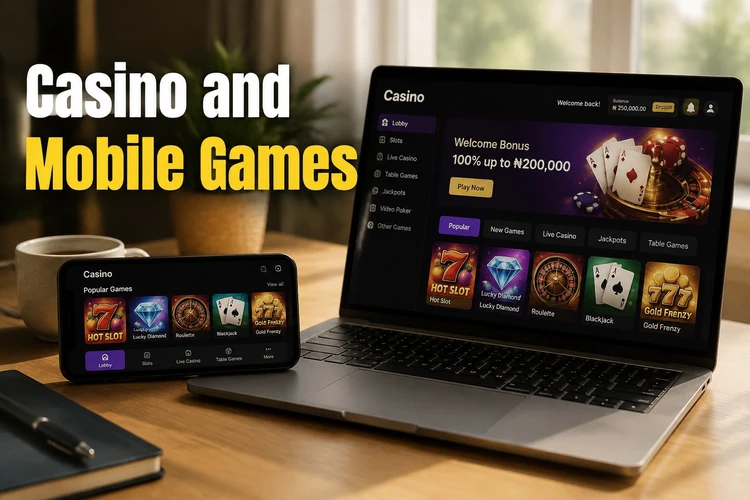
Filters can help separate slots, live casino, virtual games and other categories. Read the rules for a game before staking, especially where paylines, rounds, multipliers or settlement conditions differ. The platform is intended for adults aged 18+. Set a spending limit and use the responsible gambling tools if play stops feeling controlled.
Why Use Easywin Mobile?
A phone keeps the account, slip and bet history available without relying on a desktop. The smaller screen also makes it worth using a steady connection, closing unused apps and keeping the operating system reasonably current. Notifications should only be relied on if they are enabled and supported on your device; always check the account directly for the definitive status of a bet.
For efficient use, select the market first, read the full event details, confirm the stake and review the receipt after submission. Avoid rushing during live events. A fast interface does not remove the need to check odds, limits or settlement rules.
Troubleshooting
If the APK will not install, the common causes are a blocked permission, an incomplete download, incompatible Android software or insufficient storage. Remove the damaged file, free space and download it again from the official source. If the app stops opening after an update, clear its cache in Android settings before reinstalling.
Login failures can result from an incorrect number format, an old password or a weak network signal. Check the connection, enter the details slowly and use the reset option when necessary. If odds do not refresh, switch between mobile data and Wi-Fi and confirm that other sites load normally.
- Installation stops: confirm the browser’s installation permission and download the file again.
- App crashes: clear the cache, restart the phone and then reinstall if needed.
- Slow performance: close background apps and use the lighter build where available.
- Reset code does not arrive: check signal, wait briefly and request a new code.
FAQ
Open the official site on your Android phone and use its download control. The installer is saved in the Downloads folder as an APK file. Avoid copies shared through forums or chat groups because they may have been modified.
The mobile application is designed for Android users in Nigeria. Devices running Android 5.0 or newer generally support it, although storage, memory and connection quality also affect performance.
Download the file, allow installation from unknown sources for the browser you used, and open the completed file from Downloads. Confirm the installation, launch the app and sign in with your registered phone number.
The lighter build is intended for budget phones and weaker connections. It uses less storage and data while retaining core sports functions, although graphics-heavy gaming sections may be simplified. Check the official download page for current availability.
Compare the version in the account settings with the version shown on the official site. If a newer build is available, download it and install it over the existing application. Keep the phone connected until the update finishes.
Open the account area and select bet history. Each coupon is shown with its current status; tap a ticket to view its selections. Settled bets display the final result and payout details where applicable.